Schedule remote access - when you need it
Assign time-based access to users, groups, and computers—streamlined by admins.
Remote access on your schedule with RemotePC™
The Scheduled Access feature in RemotePC™ enables admins to assign specific time slots for employees, IT support staff, customer service teams, or help desk technicians to remotely access onsite computers.
This streamlines the connection process—users can effortlessly connect to their assigned computers during scheduled time windows, eliminating manual search and avoiding conflicts or overlap.
Scheduled Remote Access for Education
Allow students to access lab computers remotely during assigned time slots—maximizing resource usage. Ideal for K-12 and universities to manage virtual classrooms, assignments, and group activities efficiently.
Configure scheduled access in simple steps
-
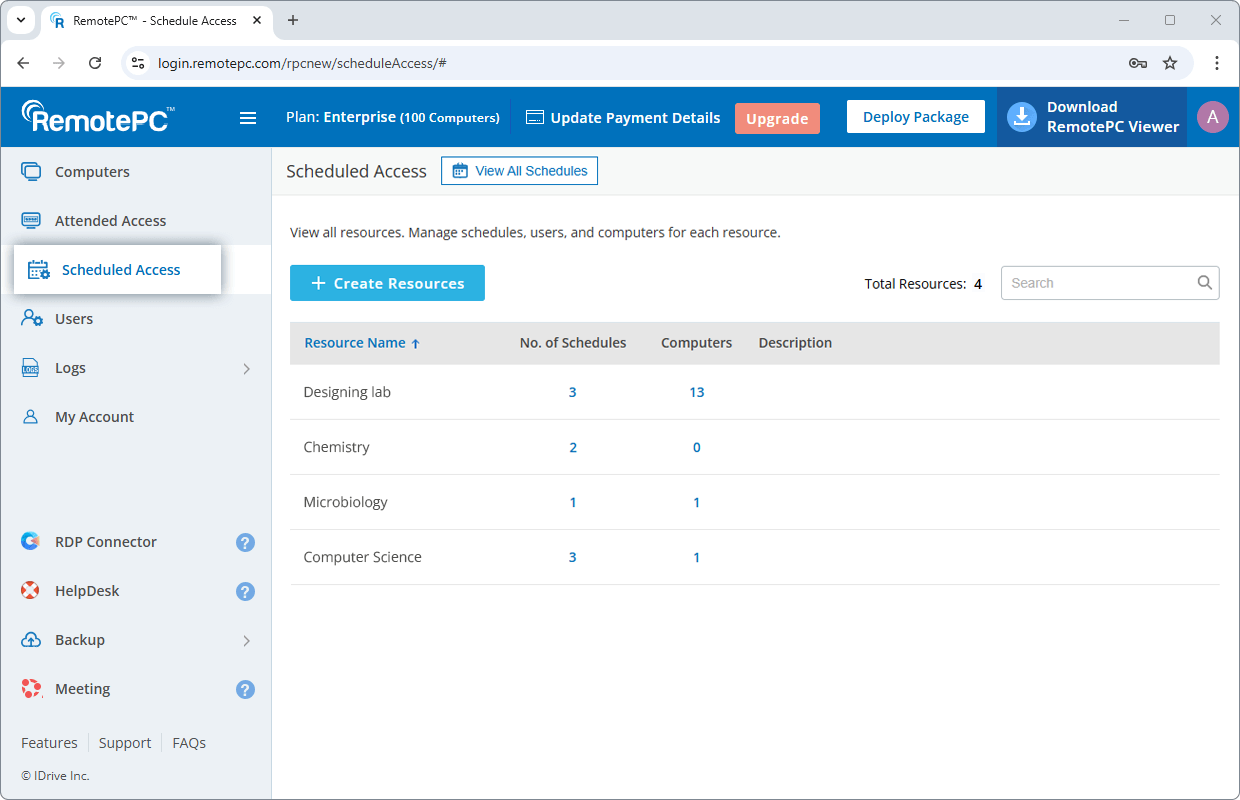
Sign in to your RemotePC account from web and go to 'Scheduled Access'.
-
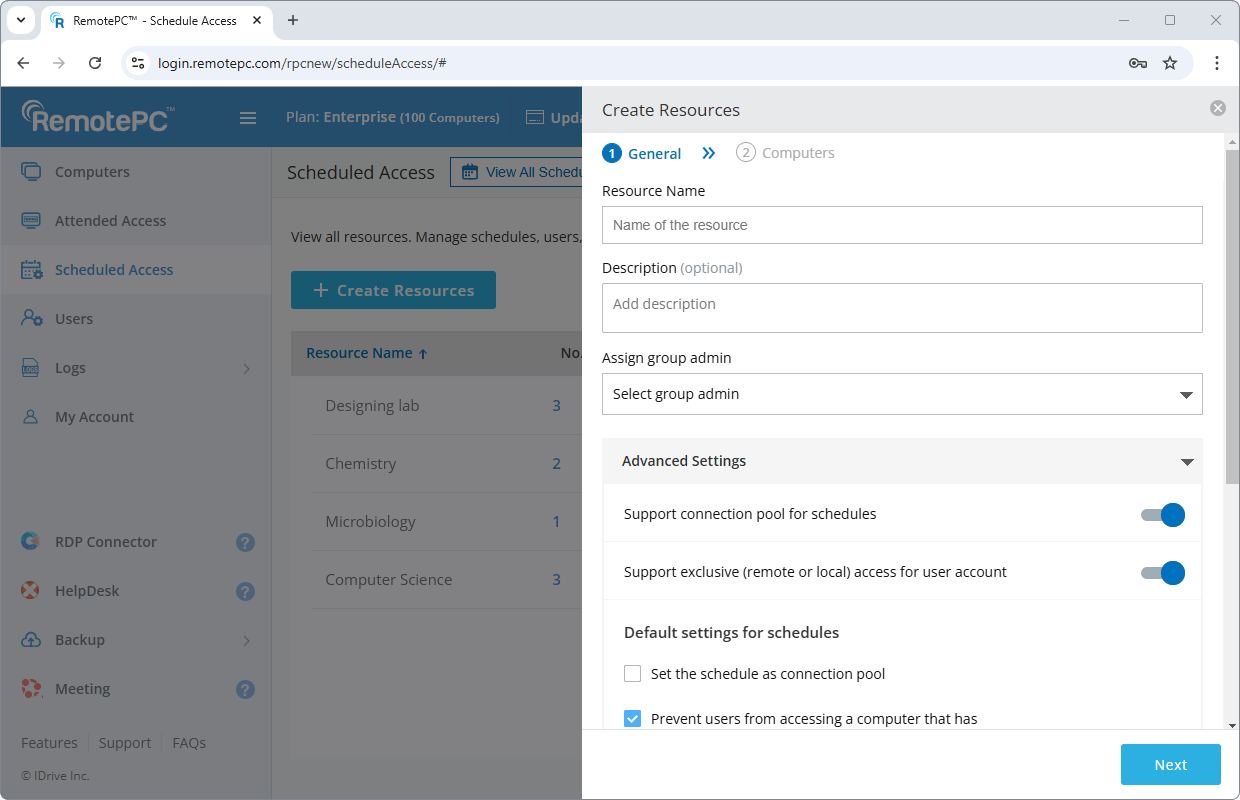
Create a resource of a set of computers to configure a schedule.
-
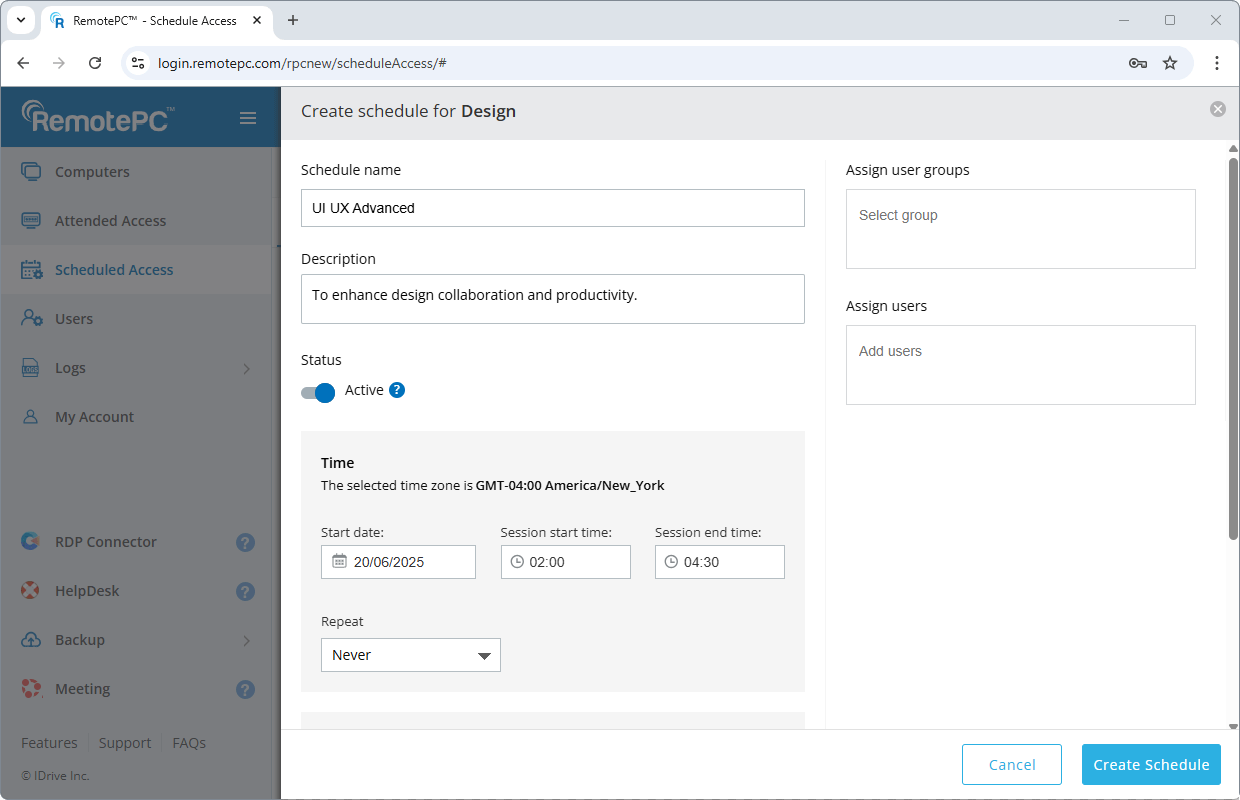
Create a schedule for the resource and assign it to individual users or user groups.
You can modify the schedules, users, or computers associated with a resource. Additionally, schedules can also be cloned.